
🤨 문제 정의
objc + 스토리보드로 구현되어 있는 메모 화면을 리팩토링하기 위해 SwiftUI의 TextEditor는 여러 줄의 텍스트를 입력 받을 때 사용할 수 있는 공식 API를 사용했다.
struct ContentView: View {

    @State var text: String = ""

    var body: some View {
        VStack(spacing: 0) {
            NavigationBar()
            TextEditor(text: $text)
                .lineSpacing(4)
        }
    }
}
하지만 왜인지(?) 화면 너머까지 텍스트를 입력하고 줄바꿈할 때 스크롤이 점핑(튀는)하는 현상을 발견해 이를 해결하고자 여러 가지를 시도해봤다.
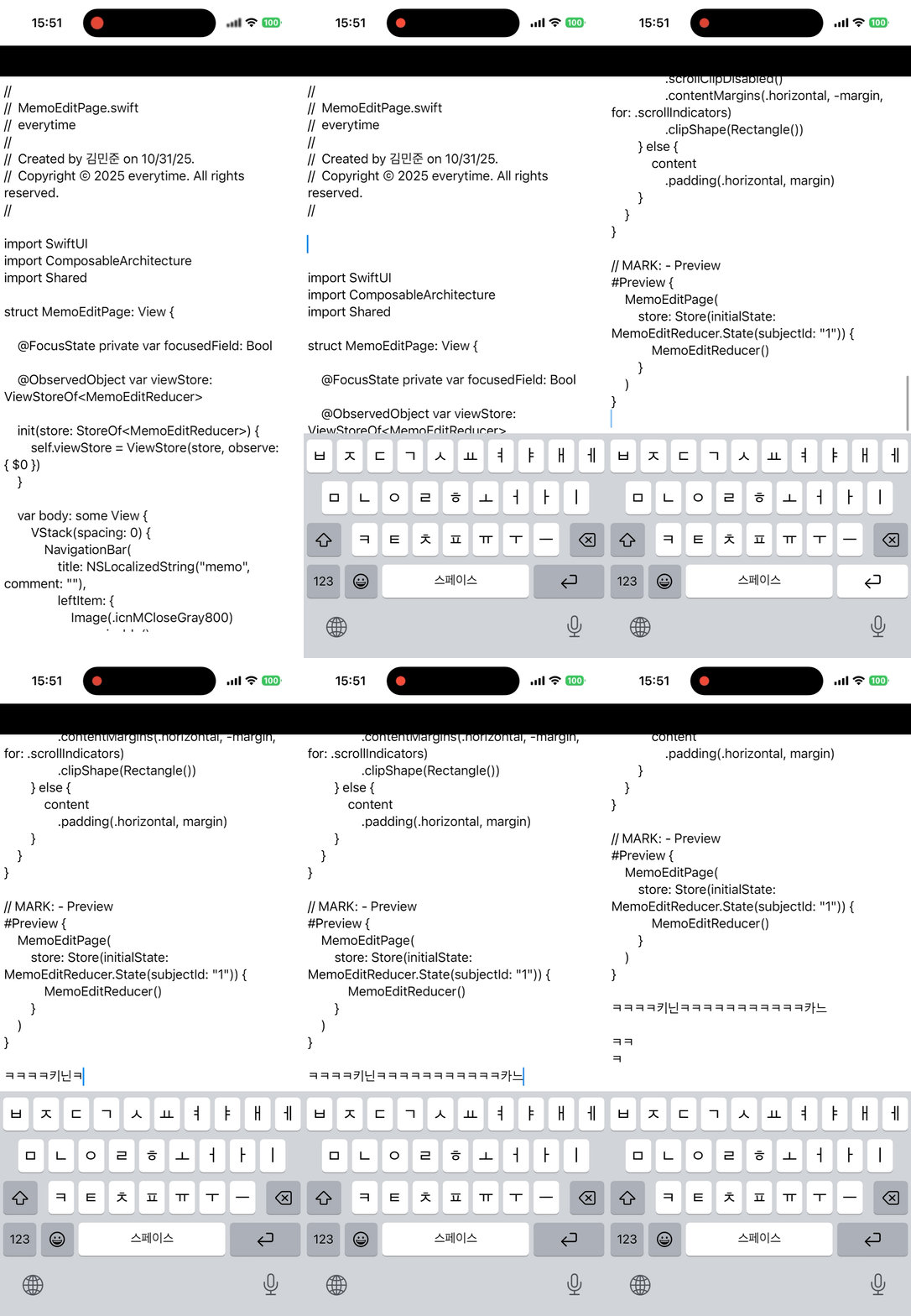
++ 아래 링크에서 같은 문제를 겪은 사람이 있다,,, iOS 16 TextEditor long text jumping (SwiftUI)
https://developer.apple.com/forums/thread/724330
iOS 16 TextEditor long text jumpin… | Apple Developer Forums
Text jumping (I don't know how else to name that weird behavior) to the top(?) every time user enters a new character. I can reproduce the issue only on iPad OS 16. It affects the user who attempts to write long (several paragraphs) text in the TextEditor.
developer.apple.com
🪓 삽질 기록
1. UIRepresentable을 이용한 UITextView 사용해보기
struct ContentView: View {

    @State var text: String = ""

    var body: some View {
        VStack(spacing: 0) {
            NavigationBar()
            TextViewWrapper(text: $text)
        }
    }
}

struct TextViewWrapper: UIViewRepresentable {
    @Binding var text: String

    func makeUIView(context: Context) -> UITextView {
        let textView = UITextView()
        textView.delegate = context.coordinator
        return textView
    }

    func updateUIView(_ uiView: UITextView, context: Context) {
        let selectedRange = uiView.selectedRange
        uiView.text = text
        uiView.selectedRange = selectedRange
    }

    func makeCoordinator() -> Coordinator {
        Coordinator(self)
    }

    class Coordinator: NSObject, UITextViewDelegate {
        var parent: TextViewWrapper

        init(_ parent: TextViewWrapper) {
            self.parent = parent
        }

        func textViewDidChange(_ textView: UITextView) {
            parent.text = textView.text
        }
    }
}
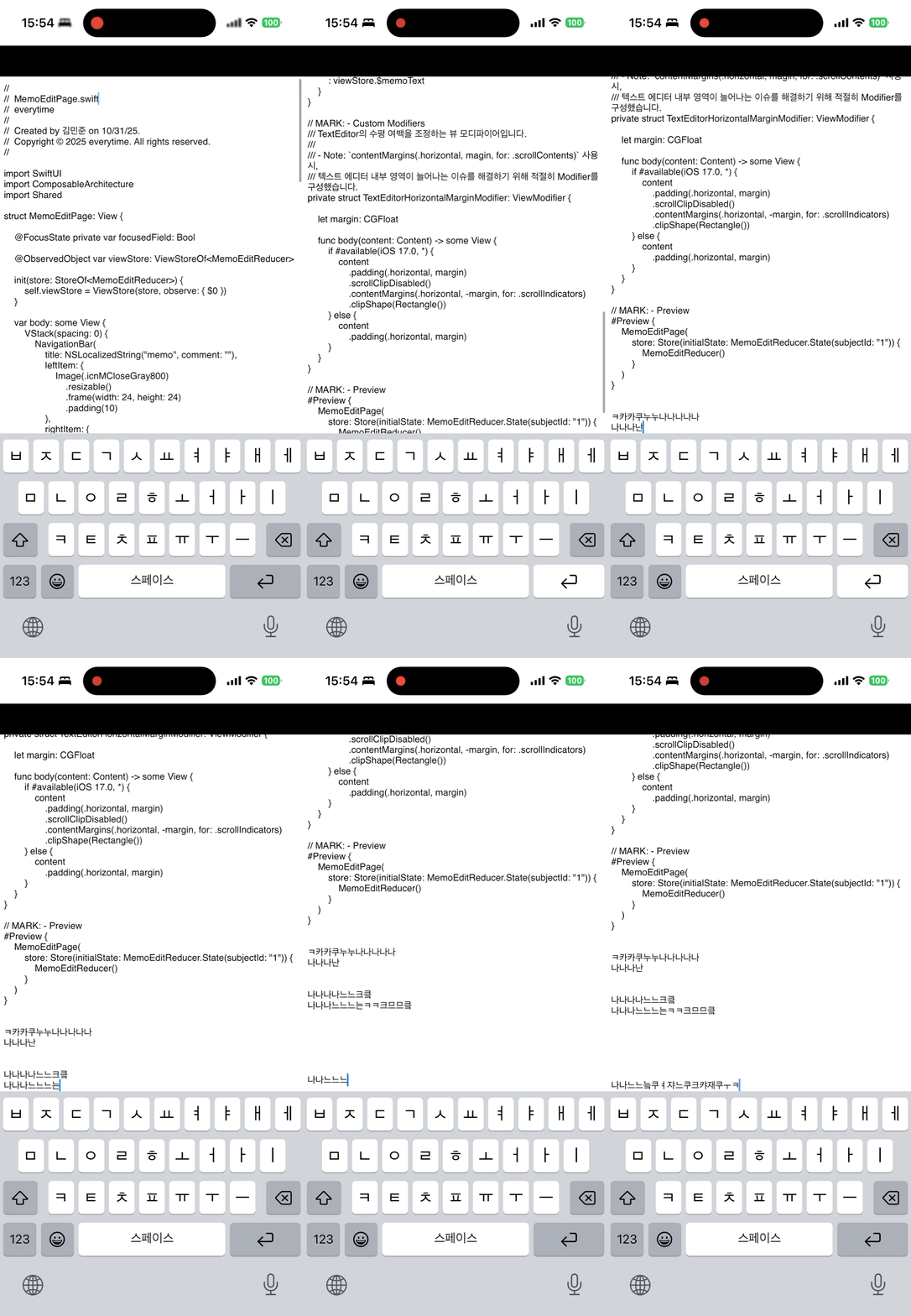
- 스크롤 점핑 현상이 완화(같은 줄 안에서는 점핑이 없어졌지만, 줄바꿈 시 발생)되긴 했지만 여전히 발생하긴 함.
2. SwiftUI의 TextField 사용
struct ContentView: View {

    @State var text: String = ""

    var body: some View {
        VStack(spacing: 0) {
            NavigationBar()
            TextField(text: $text, axis: .vertical) {}
                .lineSpacing(4)
        }
    }
}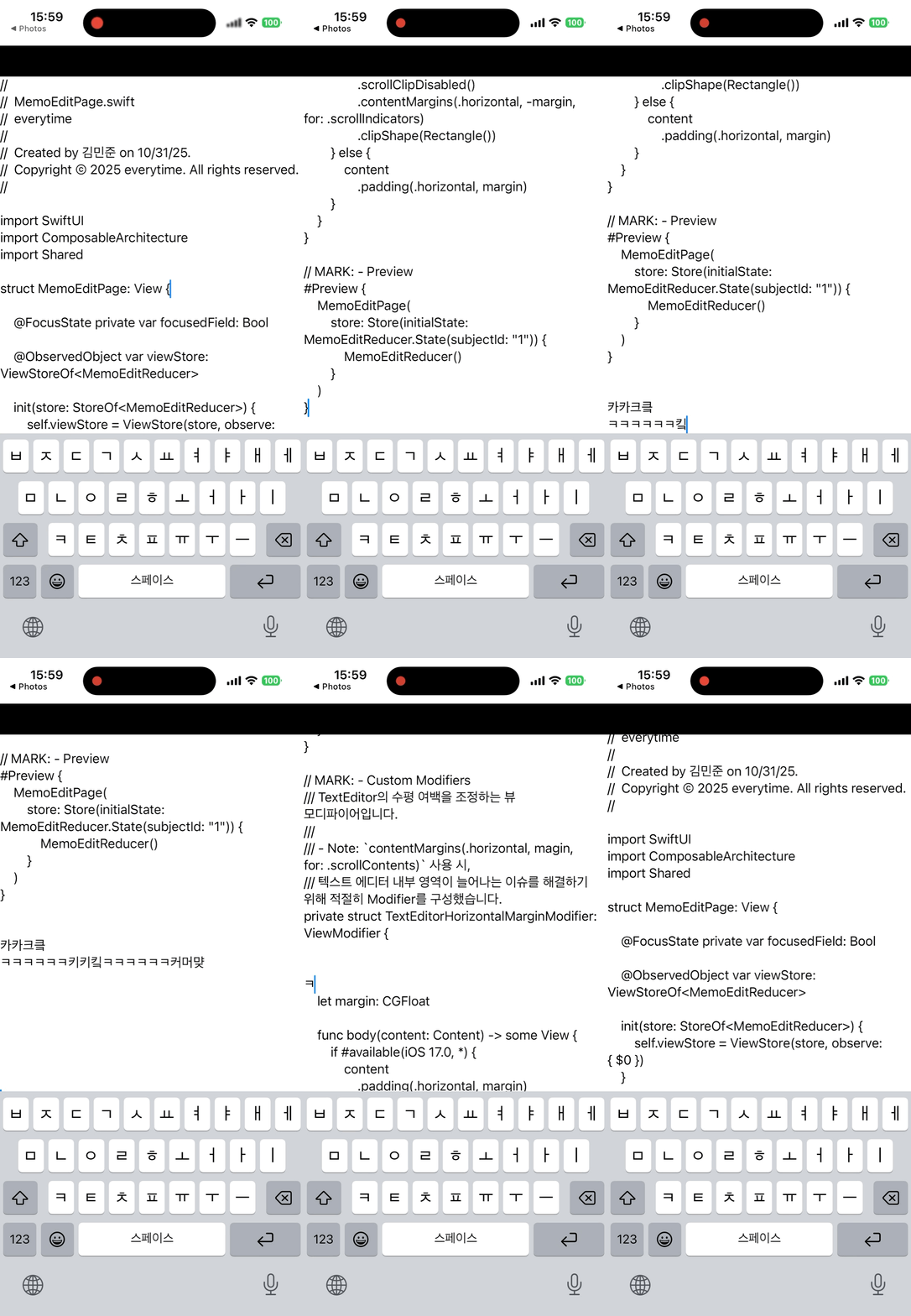
- 스크롤 점핑 현상 해결(정상 동작)
- 하지만 TextEditor에 있던 Scroll Indicator가 보여지지 않음.
- Focus 됐을 때와 안됐을 때의 라인이 달라보일 때가 있음.(Focus 되면 갑자기 줄이 늘어나는 것처럼 보임,,?)
- Line 수가 적을 때 height 값도 작아지기 때문에(TextEditor는 기본적으로 가능한 가장 큰 크기를 차지) FocusField가 활성화 시킬 수 있는 영역에 대한 추가 구현이 필요.
3. ScrollView + TextField 사용
struct ContentView: View {

    @State var text: String = ""

    var body: some View {
        VStack(spacing: 0) {
            NavigationBar()
            ScrollView {
                TextField(text: $text, axis: .vertical) {}
                    .lineSpacing(4)
            }
        }
    }
}
- 위 방식에서 ScrollView만 추가해본 방식.
- 스크롤은 정상 동작하고 Scroll Indicator도 표시되지만, 줄바꿈 시 자동으로 스크롤되는 기능이 누락됨.
4. UITextView + NSAttributedString 사용
struct ContentView: View {

    @State var text: String = "asdasd"

    var body: some View {
        VStack(spacing: 0) {
            NavigationBar()
            TextViewRepresentable(
                text: $text,
                font: .systemFont(ofSize: 20),
                textColor: .red,
                tintColor: .blue,
                lineSpacing: 8,
                contentInset: UIEdgeInsets(top: 0, left: 16, bottom: 0, right: 16)
            )
        }
    }

    @ViewBuilder
    private func NavigationBar() -> some View {
        Rectangle()
            .frame(height: 40)
            .foregroundStyle(.black)
    }
}

struct TextViewRepresentable: UIViewRepresentable {

    @Binding var text: String

    let font: UIFont
    let textColor: UIColor
    let tintColor: UIColor
    let lineSpacing: CGFloat
    let contentInset: UIEdgeInsets

    init(
        text: Binding<String>,
        font: UIFont,
        textColor: UIColor,
        tintColor: UIColor,
        lineSpacing: CGFloat = 4,
        contentInset: UIEdgeInsets = .zero
    ) {
        self._text = text
        self.font = font
        self.textColor = textColor
        self.tintColor = tintColor
        self.lineSpacing = lineSpacing
        self.contentInset = contentInset
    }

    func makeUIView(context: Context) -> UITextView {
        let textView = UITextView()

        // 1. Delegate 설정
        textView.delegate = context.coordinator

        // 2. ContentInset 설정
        textView.textContainerInset = contentInset

        // 3. TintColor 설정
        textView.tintColor = tintColor

        // 4. paragraphStyle 설정
        let paragraphStyle = NSMutableParagraphStyle()
        paragraphStyle.lineSpacing = lineSpacing

        // 5. NSAttributedString 속성 세트 생성
        let attributes: [NSAttributedString.Key: Any] = [
            .font: font,
            .foregroundColor: textColor,
            .paragraphStyle: paragraphStyle
        ]

        // 6. 기본 텍스트 속성 설정
        textView.attributedText = NSAttributedString(
            string: text,
            attributes: attributes
        )

        // 7. 타이핑 속성 설정
        textView.typingAttributes = attributes
        return textView
    }

    func updateUIView(_ uiView: UITextView, context: Context) { }

    func makeCoordinator() -> Coordinator {
        Coordinator(self)
    }

    final class Coordinator: NSObject, UITextViewDelegate {

        @Binding var text: String

        var parent: TextViewRepresentable

        init(_ parent: TextViewRepresentable, _ text: Binding<String>) {
            self.parent = parent
        }

        func textViewDidChange(_ textView: UITextView) {
            parent.text = textView.text
        }
    }
}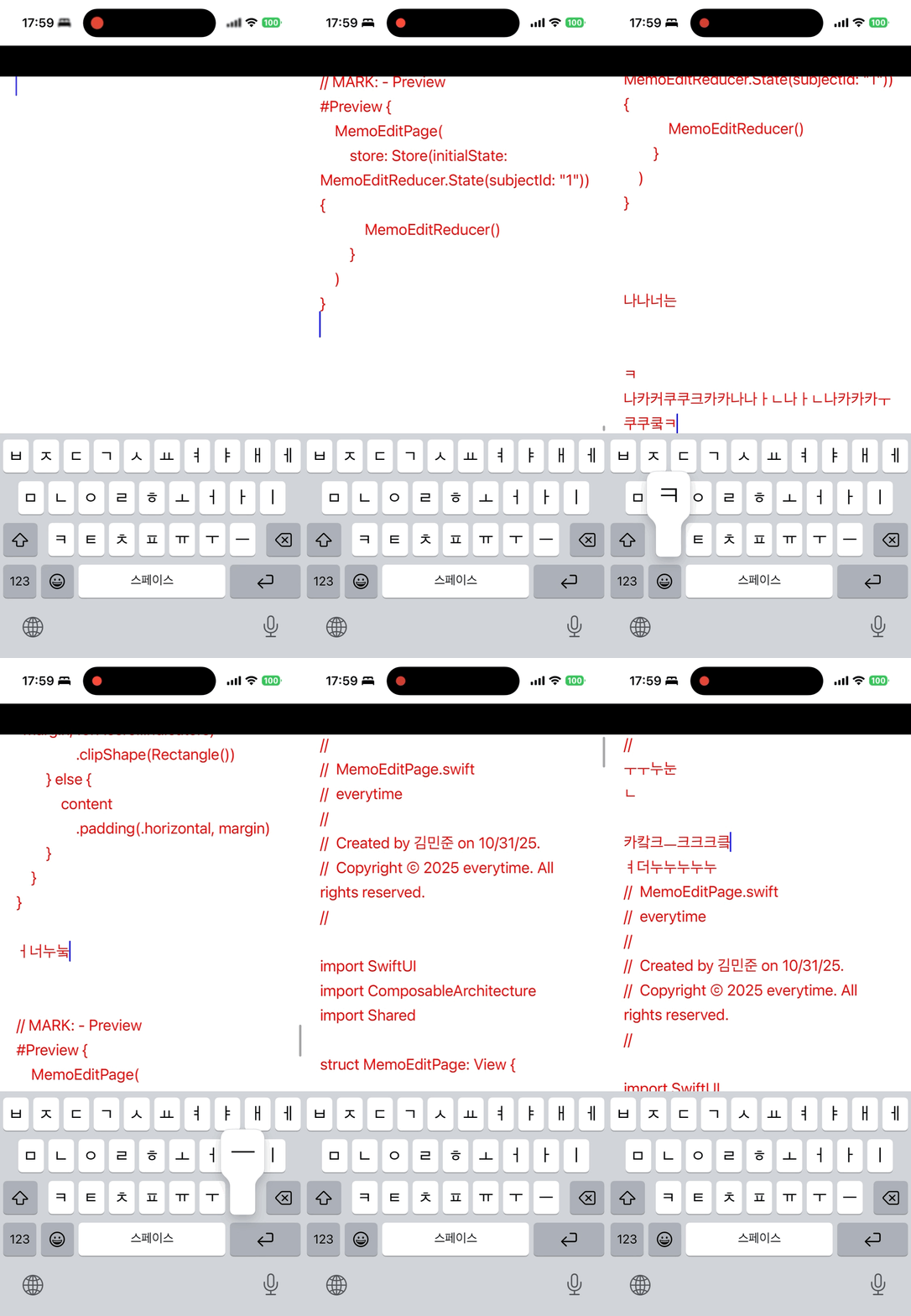
- RichTextKit 라이브러리를 참고해 `NSAttributedString` 사용에서 힌트를 얻음.
- 스크롤 점핑 현상 해결 + Scroll Indicator 정상적으로 보임.
😈 문제 해결
결국 이것저것 시도해보다 `NSAttributedString`에서 답을 얻을 수 있었다,,! 애플이 TextEditor를 고쳐준다면야 가장 좋겠지만 마냥 기다릴 순 없으니 아래와 같이 컴포넌트로 만들어두고 잘 돌려써먹어볼 예정이다.
import SwiftUI

/// SwiftUI `TextEditor`의 스크롤 점핑 문제를 해결하기 위해 구현된 커스텀 텍스트 에디터.
///
/// - Note: `UITextView`와 `NSAttributedString`을 활용해 스크롤 점핑 문제를 해결했습니다.
public struct StableTextEditor: UIViewRepresentable {

    @Binding var isFocused: Bool
    @Binding var text: String

    let font: UIFont
    let textColor: UIColor
    let tintColor: UIColor
    let backgroundColor: UIColor
    let lineSpacing: CGFloat
    let contentInset: UIEdgeInsets

    public init(
        isFocused: Binding<Bool>,
        text: Binding<String>,
        font: UIFont,
        textColor: Color,
        tintColor: Color,
        backgroundColor: Color,
        lineSpacing: CGFloat,
        contentInset: UIEdgeInsets = .zero
    ) {
        self._isFocused = isFocused
        self._text = text
        self.font = font
        self.textColor = UIColor(textColor)
        self.tintColor = UIColor(tintColor)
        self.backgroundColor = UIColor(backgroundColor)
        self.lineSpacing = lineSpacing
        self.contentInset = contentInset
    }

    public func makeUIView(context: Context) -> UITextView {
        let textView = UITextView()
        textView.delegate = context.coordinator
        textView.tintColor = tintColor
        textView.backgroundColor = backgroundColor
        textView.textContainerInset = contentInset
        textView.attributedText = NSAttributedString(string: text, attributes: attributes)
        textView.typingAttributes = attributes
        return textView
    }

    public func updateUIView(_ uiView: UITextView, context: Context) {
        if uiView.text != text {
            uiView.attributedText = NSAttributedString(string: text, attributes: attributes)
            uiView.typingAttributes = attributes
        }

        if isFocused {
            uiView.becomeFirstResponder()
        } else {
            uiView.resignFirstResponder()
        }
    }

    public func makeCoordinator() -> Coordinator {
        Coordinator(self)
    }
}

// MARK: - Helper
extension StableTextEditor {

    /// NSAttributedString 속성 Dictionary를 반환합니다.
    private var attributes: [NSAttributedString.Key: Any] {
        let paragraphStyle = NSMutableParagraphStyle()
        paragraphStyle.lineSpacing = lineSpacing
        return [
            .font: font,
            .foregroundColor: textColor,
            .paragraphStyle: paragraphStyle
        ]
    }
}

// MARK: - Coordinator
extension StableTextEditor {

    public final class Coordinator: NSObject, UITextViewDelegate {

        var parent: StableTextEditor

        public init(_ parent: StableTextEditor) {
            self.parent = parent
        }

        public func textViewDidChange(_ textView: UITextView) {
            parent.text = textView.text
        }

        public func textViewDidBeginEditing(_ textView: UITextView) {
            parent.isFocused = true
        }

        public func textViewDidEndEditing(_ textView: UITextView) {
            parent.isFocused = false
        }
    }
}'트러블슈팅' 카테고리의 다른 글
| Xcode 유닛 테스트 에러 - There is no scheme and/or test plan that contains every test you are trying to run (0) | 2025.03.01 |
|---|---|
| 환경 변수가 값을 못 불러오는 현상 해결하기 (0) | 2025.02.23 |
| Xcode 유닛테스트 무한 인덱싱 현상 (0) | 2025.02.19 |
| SwiftUI ScrollView 리프레쉬 했을 때 화면이 멈추는 현상 해결하기 (0) | 2025.02.07 |